Posts

Home alone...

Image

Flash (Gordon) from the past...

Image
Okay, it's not Flash Gordon – I cheated for the headline – it's Star Wars again (I promise to stop blogging Star Wars stuff after this... probably). My parents were cleaning out their attic last week and found a bundle of old childhood scribbles and drawings by me. They mailed me a few of the Star Wars ones for a bit of a giggle. I would have been about eight years old, I think, when I did these. My dad used to bring home office waste paper (there was tons of the stuff pre-computers) which only ever had type on one side of it. I used to scrawl on the other. And when Star Wars came out, well, I probably did a drawing based on it every day for about a year. Yes, it's all a bit sad and geeky really!

Step-by-step

Image
Take a step-by-step look at how I constructed a complex Adobe Illustrator graphic. Click here to see a series of screen-grabs of the graphic being built.

Fantastic ad...

As a Star Wars fanboy, I have to share this fantastic commercial from the U.S. I won't say any more about it as I don't wish to spoil it, but it should bring a pang of childhood recognition to any 40-something Star Wars fan out there!

Retro gold...

Image
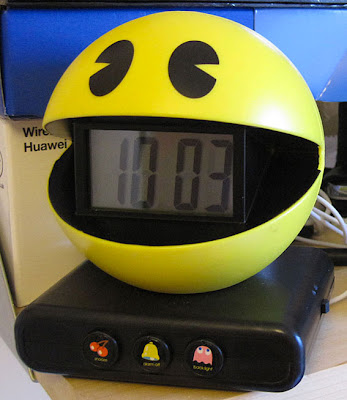
As a lover of retro video games, I simply had to have this. It now sits in the studio as my Toronto-time clock. And yes, it does make the "...waka-waka-waka..." pill-munching noise as its alarm. Just too cool! If you want one, you can get them here for £8.99.

Mega map!

Image
Saturday's Globe And Mail featured an enormous map filling a double-page spread of the paper. The brief was to create an antiquated naval map for a feature on China's rapidly increasing naval power. Built mostly in Photoshop with labels, icons etc added in Illustrator, the map took me nearly three days to produce and came in at a whopping 186 MB.

Very popular!

Image
According to my Mac mail account, I'm incredibly popular. Although I wonder how long it would have taken to receive this lot!

Cool Adobe Illustrator plug-in...

Image
I was building an icon yesterday for an iStockphoto.com job using Illustrator's 3D tool and ran into an old problem. When you expand the file back into a vector format it leaves loads of open paths, usually around areas where you've applied a bevel or some such. Any fellow iStockers will know that they refuse to accept any open paths in their illustrations and it can be quite a chore to go around your illustration manually closing them all up again. However after a little Googling I came across a wonderful plug-in filter that closes them all up instantly for you. And it does a host of other cool functions too. Check out Point Control for yourselves. It works with CS3, CS4, and CS5 versions and the site has several other pretty darn useful plug-ins to tinker with as well.

Pub power!

Image
The other day we were frequenting the local Red Lion pub quiz when we experienced (another) blackout and all the lights failed. Thank heavens then that the beer pumps and fruit machines were on some kind of emergency backup circuit as this photo attests! Not so daft these publicans, you know?

Blackout

Image
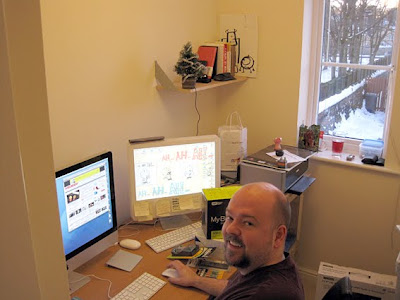
I've got my home office mostly up and running now. Mac working: check. Printer/scanner working: check. Globe And Mail archive installed: check. Internet working: sort of. Electricity working: er, not if you're an NPower electricity customer in West Yorkshire, it's not. The wonderful power company blacked out my area of town yesterday for 11 hours, at exactly the time I was endeavouring to work. The house was freezing while I frantically worked on a laptop as its battery percentage counter drew ever closer to zero. At 9%, I transmitted my partially completed work to Canada via a Three wireless broadband modem, it too down to a last pixel of life on its battery indicator. As it turned out, the paper didn't use the graphic and held it for another edition! Perhaps NPower will let me finish it today?